How to Choose the Right Online Music Lessons
How do you choose the right online music lessons? Start with how you want to learn, live one-on-one, in a group class or with a video course. Then look at the teacher, the lesson room and your setup at home. Here is what to look for at each step, for kids, teens and adults learning music online.
Three kinds of online music lessons
Online music lessons come in three main kinds. In a live one-on-one lesson, a teacher hears you play and gives feedback as it happens, and the pace and music follow you. A group class meets at a set time, with classmates to learn alongside and the teacher's attention shared. A video course plays any hour at your own pace, but no one hears you play. Feedback on what went right and where the mistakes were is a key part of building a skill, so think about where your feedback will come from. Each format suits a different learner, and many people combine them.

What a live teacher adds
A live teacher watches and listens while you play. They can see a bow drifting off its path, a wrist dropping, a collapsed knuckle or a breath taken high in the shoulders, and fix it with one small change while you are still playing. They can talk you through tuning string by string, or break a hard spot into steps. A live teacher also shapes the plan around you, with your goals, the songs you want to learn and a pace that fits your week.

What to look for in a teacher
Look for a teacher with experience on your instrument and at your level. Teaching online is its own skill, so look for a teacher who knows how to set up a camera and sound and can show their own hands on a second camera. A good fit plans lessons around your goals and the music you love, and leaves notes after each lesson so you know what to practice. A first lesson lets you try it before you commit. At All Around Music, every teacher is screened for years of playing and teaching experience, then shows professional audio and video gear and a live demonstration of how they teach online. Your first lesson has a money-back guarantee.

What to look for in the lesson room
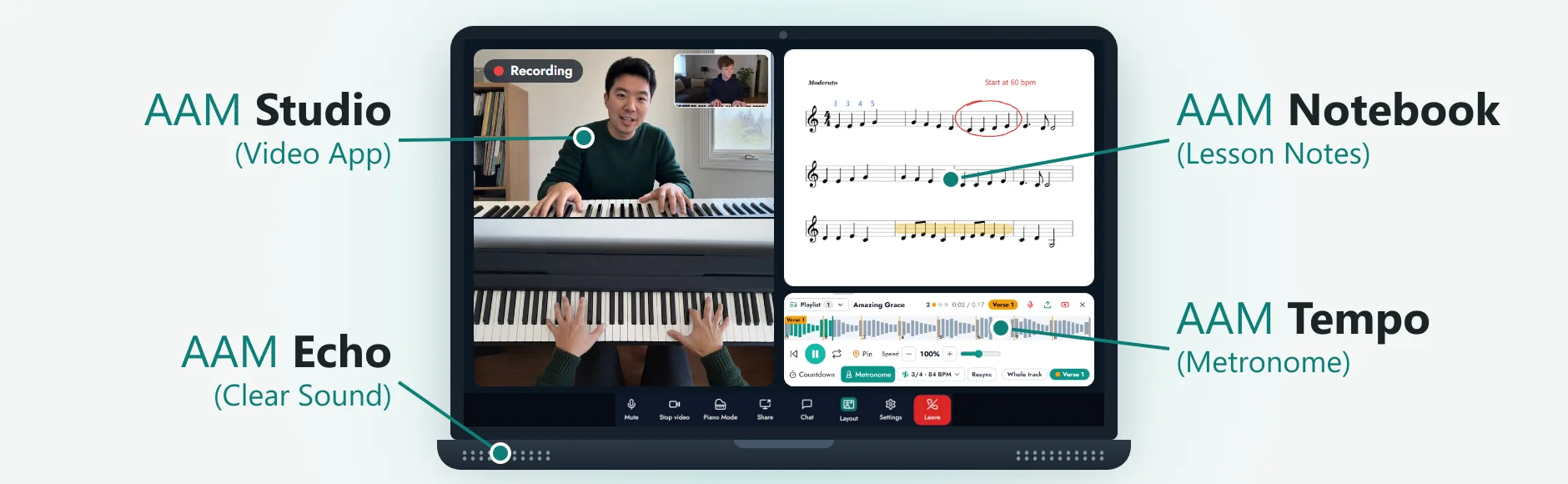
Most video call apps were made for meetings, so their sound filters are built for speech and can treat a held note or soft playing as background noise. For music lessons, look for a lesson room with sound set up for voices and instruments, a way for your teacher to see your hands, sheet music you can both see and mark up, and a recording of each lesson to practice from. That is why we built AAM Studio, the lesson room every All Around Music lesson takes place in, in your web browser or the All Around Music app. It is built to carry voices and instruments, it has a shared notebook with a metronome and tuner, and every lesson is recorded so you can rewatch it for 30 days.
Set up the camera so your teacher can see
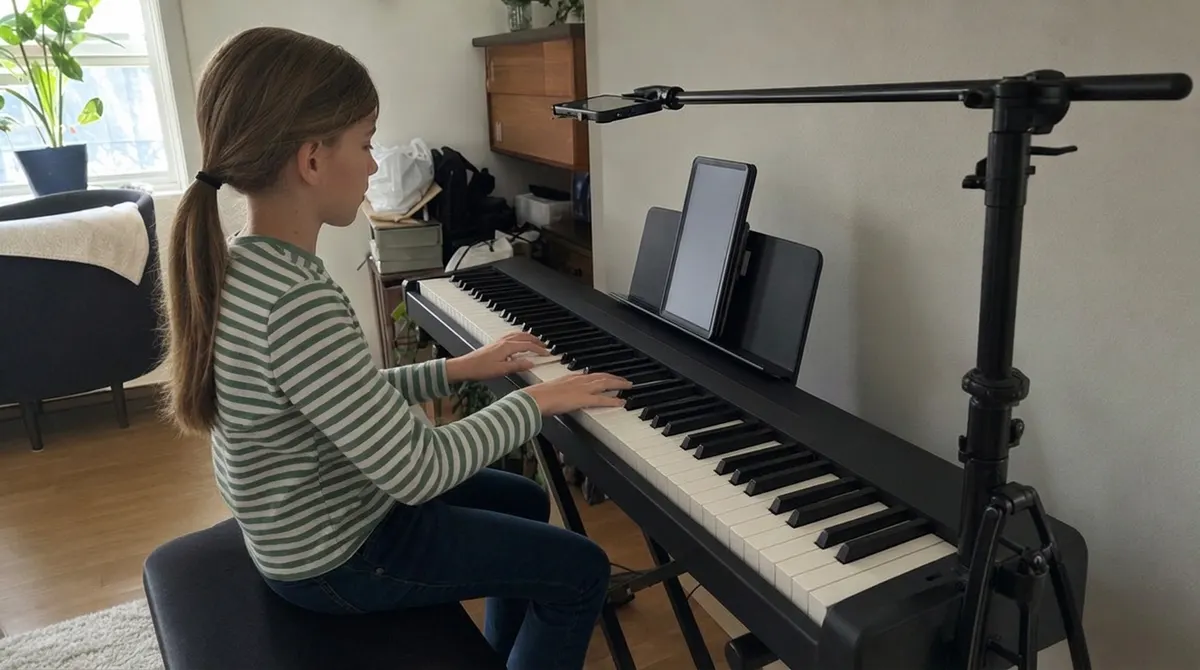
Your teacher can only fix what they can see. For piano, that means your hands on the keys, and for violin, the whole bow from end to end. Singers need their face, shoulders and middle in view, so the teacher can see how they breathe. Check that nothing is cut off at the edge of the picture, such as the lowest keys or the end of the bow. Put the light in front of you, not a bright window behind you. With Piano Mode in AAM Studio, a phone or tablet becomes a second camera on your hands and the keys while your main camera shows you, so your teacher sees both at once.

Clear sound at home
Choose the right microphone in the app's sound settings, since a laptop may have more than one. Headphones help, because sound from a speaker can be picked up by your microphone and sent back as an echo. If two devices in the same room are in the lesson, keep the sound on for one and mute the other.

A steady connection
A wired connection from your computer to the router is usually steadier than Wi-Fi. If you use Wi-Fi, sit close to the router, and pause big downloads and streaming in the home at lesson time. Close other apps on the lesson device. If the picture freezes, turning your video off for a moment can keep the sound going, and leaving and rejoining the lesson often clears it up.

Why you take turns online
Sound takes a moment to travel over the internet, and that delay makes it hard for two people in different homes to play at exactly the same time. So online lessons take turns. You play while your teacher listens, then your teacher shows a spot while you listen. To play along with music, you play or sing with a track on your own device, so it lines up with you.

Before each lesson
A few minutes of setup leaves the whole lesson for music. Tune your instrument before the lesson starts, since a tuner app may not hear you once the lesson app is using the microphone. Have your music ready, printed or open on a screen big enough to read. Put your device on a stand with the charger plugged in, and choose a quiet room. Young children do well with a parent nearby to help set up and move the camera when the teacher asks. For more on lessons for children, read Are Online Music Lessons Good for Kids?

It always comes down to practicing
Whatever format you choose, it always comes down to practicing. At All Around Music we think of learning as about 80 percent practice and 20 percent instruction. The lesson's job is to give you what you need to practice well all week, with clear steps, music you enjoy, practice notes and a recording of each lesson. Choose the lessons that keep you practicing.


Questions people ask
Here are short answers to a few common questions.
Are online music lessons as good as in person
For many students, yes. In a live online lesson the teacher sees and hears you play and gives feedback as it happens, and you learn on the instrument you practice on every day. A good setup at home makes a big difference.
What do I need for online music lessons
The instrument, a computer or tablet with a camera and microphone, a steady internet connection and a quiet room. Headphones help with sound, and for piano a phone or tablet can be a second camera on your hands.
Are online music lessons good for beginners
Yes. A beginner gains the most from a teacher who can see and hear each new step, so look for live lessons where the teacher gives feedback as you play.
How much do online music lessons cost
At All Around Music, every instrument and teacher has the same price, set by the lesson length of 30, 45 or 60 minutes. See single lessons, lesson packs and monthly plans, which bring the price of each lesson down.
Can adults take online music lessons
Yes. Adults start at every age, and lessons can follow your goals and fit around work. Read Is It Too Late to Learn Piano as an Adult?
To meet our teachers and choose an instrument, visit our online music lessons. We also have guides to online music lessons for kids and online music lessons for adults.
Sources
Greater Good Magazine, UC Berkeley, How to Motivate Kids to Practice Hard Things Wikipedia, Motor learning Stanford University IT, Best Practices for Effective Video Conferencing Georgetown University Information Services, Are You Having Home Internet Connectivity Issues? Wikipedia, Echo suppression and cancellation Wikipedia, Networked music performance PMC (US National Library of Medicine), Aesthetic and technical strategies for networked music performance